What is Phase and Why Does it Matter?
At its core, phase describes the position of a point in a waveform cycle relative to a reference point or another waveform. Sound waves are cyclical, meaning they repeat over time. When two waves interact, their phase relationship determines how they combine. If they are in phase, their peaks and troughs align, resulting in a louder, fuller sound. If they are out of phase, their peaks align with troughs, leading to cancellation and a thinner, weaker, or even inaudible sound.
In a mix, phase issues often manifest as a lack of low-end punch, a thin or hollow sound, or a collapsed stereo image when summed to mono. This is particularly problematic with multi-miked sources, like a drum kit or a guitar amplifier recorded with several microphones, where the same sound arrives at different microphones at slightly different times.
Identifying Phase Problems with Visual Tools
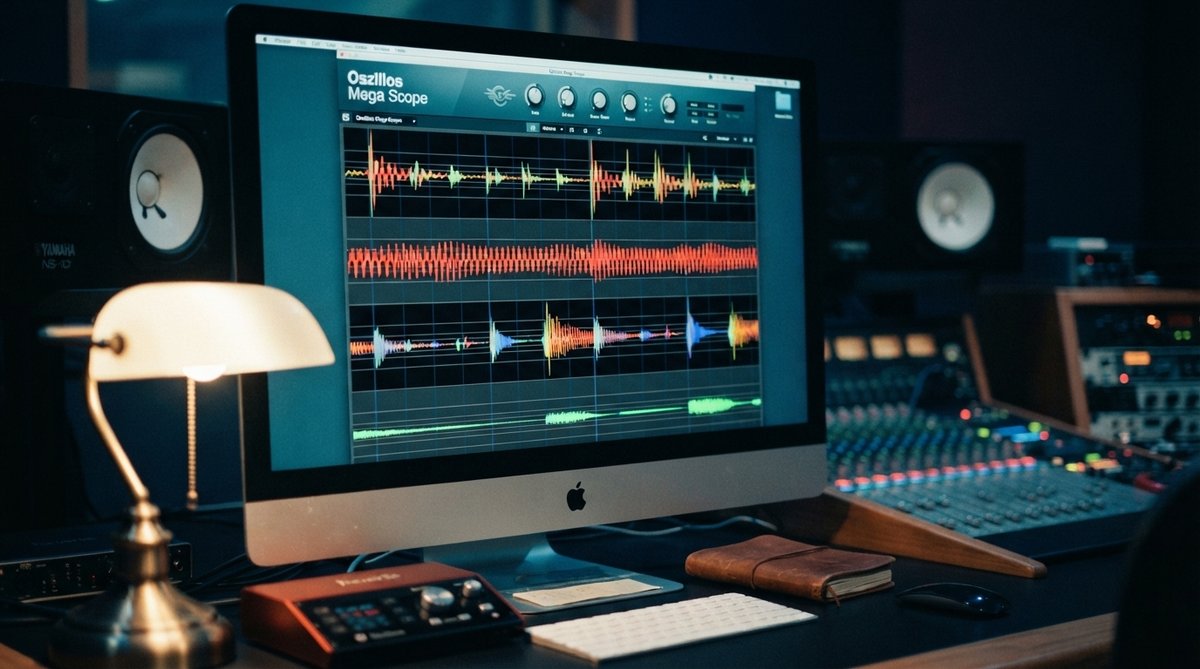
While your ears are the ultimate judge, visual feedback is invaluable when dealing with phase. An oscilloscope is the primary tool for seeing phase relationships. By displaying waveforms in real time, you can quickly spot discrepancies between tracks or between the left and right channels of a stereo signal.
An oscilloscope provides essential visual feedback, allowing you to see phase relationships and identify problems that your ears might miss.
For example, if you have two microphones on a snare drum, you can route both signals into a multi-input oscilloscope like Oszillos Mega Scope. If the waveforms are offset significantly or appear to be pushing in opposite directions, you have a phase issue. This visual cue makes it much easier to decide whether to flip the phase, nudge the timing, or both. You can also monitor the overall stereo correlation of your mix, which gives you insight into how your left and right channels are interacting. A good spectrum analyzer, such as Spectrum 2, can also help by revealing frequency cancellations that might be phase-related. For more on using visual tools, check out Oszillos Mega Scope Multi Channel Audio Oscilloscope Plug In and Spectrum 2 The Ultimate Multi Channel Spectrum Analyser Plug In.
Correcting Phase Alignment and Coherence
Once you identify a phase problem, you have a few ways to address it:
- Phase Invert: Many DAWs and plugins offer a simple phase invert (or polarity reverse) button. This flips the waveform 180 degrees. It is often the first thing to try, especially when dealing with two mics on the same source. Listen carefully to hear if the sound becomes fuller and more defined, particularly in the low end. This is a common fix for kick drum and bass guitar interactions, which is explored further in Achieving Tight Bass Visualizing Low End Interactions For A Powerful Mix.
- Time Alignment: For more complex issues, particularly with multi-miked sources, simply inverting the phase might not be enough. Subtle timing differences can cause phase issues across specific frequency ranges. Nudging tracks forward or backward by milliseconds can bring waveforms into better alignment. This is often done by visually aligning the transients of the waveforms in your DAW or using a dedicated time alignment plugin. When working with drums, precise time alignment can greatly improve impact and groove, as discussed in Mastering Drum Transients Visualizing Your Drum Programming For Impact And Groove.
Creative Phase Manipulation and Stereo Width
Phase isn't just about fixing problems; it is also a powerful tool for creative sound design and enhancing stereo width. Modulation effects like chorus, flanger, and phaser work by delaying a signal and mixing it back with the original, creating sweeping phase shifts that produce movement and depth.
Creative phase manipulation can add incredible depth, movement, and stereo width to your sounds, transforming a static mix into an immersive experience.
A plugin like JUNI 1984 CHORUS uses bucket brigade delays to introduce subtle, dynamic phase shifts, widening sounds and adding a vintage sparkle. Reverb also relies on time and phase. The pre-delay parameter on a reverb, such as RedVerb 2, sets the time before the reverb tail begins, which affects how the dry signal interacts phase-wise with the early reflections and tail. This can help maintain clarity while still adding spatial depth, as detailed in The Essential Guide To Reverb Pre Delay Adding Depth And Clarity To Your Mix. For more on modulation, see What Is A Chorus Effect How To Add Width And Movement To Your Mix.
Beyond effects, understanding phase correlation is key to managing your stereo field. Tools like OOMPH allow for frequency-specific stereo width adjustments, using mid-side processing to manipulate the phase relationships between the center and side information of your mix. This helps you achieve a deeper soundstage without sacrificing mono compatibility. For a deeper look into this, read Frequency Specific Stereo Width Using Mid Side Processing For A Deeper Soundstage and Exploring Phase Correlation And Its Impact On Your Mix.
Achieving Mix Clarity Through Phase Awareness
Being aware of phase relationships throughout your mix can dramatically improve its overall clarity and impact. By proactively checking and correcting phase issues, and by creatively using phase-based effects, you can build mixes that are solid in mono, wide in stereo, and translate well across different playback systems. This attention to detail ensures your sounds combine harmonically rather than fighting each other, leading to a more professional and polished final product.