What is Phase and Phase Correlation?
In simple terms, phase describes the position of a point on a waveform in its cycle. When you have two or more related waveforms, their phase relationship matters. If two identical waveforms are perfectly in phase, they combine and become louder. If they are perfectly out of phase (180 degrees), they will cancel each other out. Most real-world situations fall somewhere in between, leading to partial cancellation or subtle filtering effects.
Phase correlation specifically refers to the relationship between the left and right channels of a stereo signal. It's a measure of how similar or dissimilar the waveforms in each channel are. A phase correlation meter typically displays a value from +1 (perfectly in phase, mono) to -1 (perfectly out of phase, severe cancellation) with 0 indicating a random relationship. Ideally, you want your mix to stay predominantly in the positive correlation range, especially in the low end.
Monitoring phase correlation helps ensure your stereo mix translates well to mono and maintains its intended impact.
How Phase Issues Manifest in Your Mix
Phase problems can subtly degrade your mix or create significant audible issues, often without you realizing the root cause. Common symptoms include:
- Thin or Hollow Sound: Frequencies canceling out can strip instruments of their body and presence.
- Loss of Low End: Bass frequencies are particularly susceptible to phase cancellation, leading to a weak or undefined bottom end. This is crucial for a powerful mix. For more on this, see Achieving Tight Bass Visualizing Low End Interactions For A Powerful Mix.
- Unstable Stereo Imaging: Elements might wander or feel unfocused in the stereo field. What sounds wide in stereo can collapse or even disappear when summed to mono.
- Reduced Clarity and Punch: Phase issues can blur transients and make it harder for individual elements to cut through the mix.
- Mono Incompatibility: This is one of the most critical aspects. If a track sounds good in stereo but falls apart, loses elements, or becomes muddy in mono, you likely have phase problems.
Identifying Phase Problems with Visual Tools
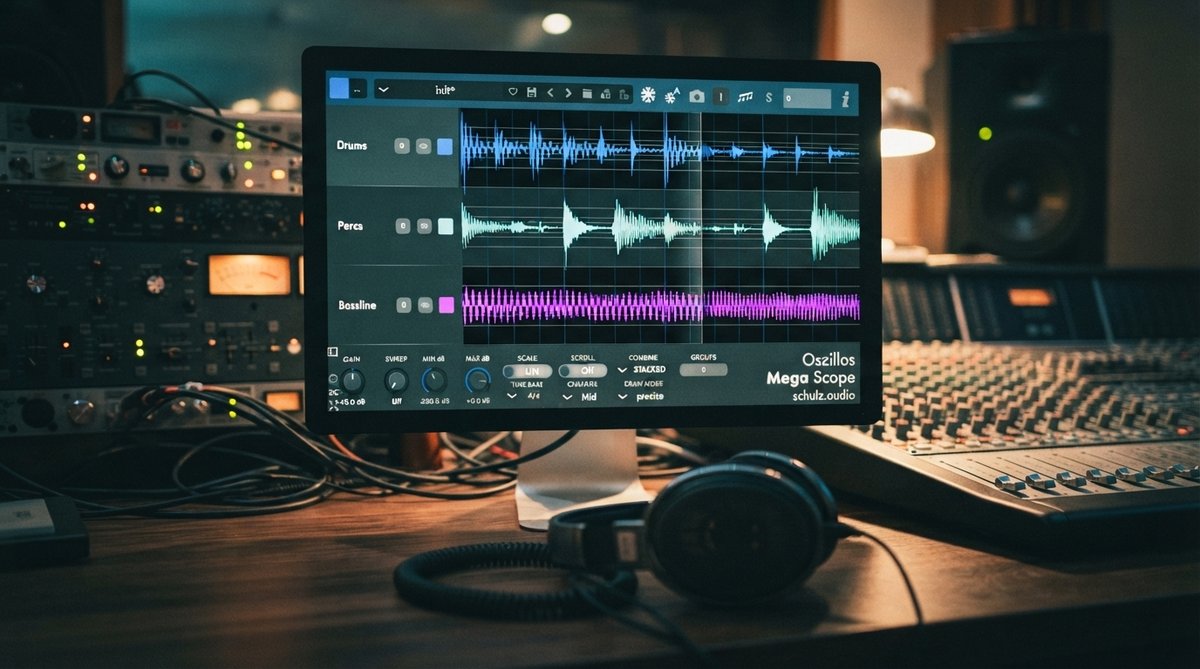
While your ears are the ultimate judge, visual tools are indispensable for pinpointing phase issues. An oscilloscope is one of the most powerful tools for this, allowing you to see the actual waveforms and their relationships. Our Oszillos Mega Scope plugin is designed to give you clear, real-time visualization of your audio waveforms, making it easy to spot phase discrepancies between channels or tracks. You can learn more about its capabilities in Oszillos Mega Scope Multi Channel Audio Oscilloscope Plug In.
A dedicated phase correlation meter, often integrated into oscilloscopes or spectrum analyzers, provides a numerical or graphical representation of the stereo field's phase relationship. Pay close attention to the meter when checking individual tracks, subgroups, and the master bus. A good practice is to solo questionable tracks and observe their phase behavior.
For a broader view of your mix's frequency content and potential clashes, a spectrum analyzer like Spectrum 2 (available in the Oszillos & Spectrum Bundle) can complement your phase analysis by showing where frequency build-ups or absences might be contributing to perceived phase problems. For more on using spectrum analyzers, check out Beyond The Ears Using A Spectrum Analyzer For Precise Eq Decisions.
Visualizing waveforms with an oscilloscope is often the fastest way to diagnose phase problems that your ears might miss.
Fixing Phase Problems
Once you've identified a phase issue, there are several ways to address it:
- Polarity Inversion: The simplest fix for a 180-degree phase shift. Many DAWs and plugins have a polarity (often marked with a circle with a slash or a 'Ø') button. Try flipping the polarity on one of the problematic tracks and listen for improvement, especially in the low end and mono compatibility.
- Time Alignment: For recorded audio, especially multi-miked sources like drums or guitars, slight timing differences between microphones can cause phase issues. Zooming in on waveforms in your DAW and nudging tracks by a few samples can often resolve these. Our Oszillos Mega Scope can be very helpful here for precise visual alignment.
- Mid-Side (M/S) Processing: This technique allows you to process the mono (Mid) and stereo (Side) components of your signal independently. If phase issues are primarily in the stereo width, M/S processing can help. Plugins like OOMPH offer multi-band Mid-Side control, allowing you to refine the stereo width and dynamics of specific frequency ranges, which can indirectly help manage phase-related stereo problems. Learn more about this in Frequency Specific Stereo Width Using Mid Side Processing For A Deeper Soundstage.
- EQ Adjustments: Sometimes, phase shifts are frequency-dependent. While EQ primarily affects amplitude, it also introduces phase shifts. Careful EQ can sometimes mitigate phase issues, but be aware it can also introduce new ones. Always check phase after significant EQ moves.
- Re-recording/Re-miking: In some cases, especially with poorly recorded source material, the best solution might be to re-record with better microphone placement. Prevention is always better than cure.
Phase as a Creative Tool
While often a problem to be solved, phase manipulation can also be a creative effect. Effects like chorus, flanger, and phaser all rely on controlled phase shifts to create their characteristic movement and width. When used intentionally, these effects can add interesting textures and expand your stereo image. However, even with creative phase effects, it's wise to monitor your phase correlation to ensure you're not introducing unwanted mono compatibility issues. For broader techniques, refer to Mastering Stereo Imaging Techniques For Width Depth And Focus.
Understanding phase correlation empowers you to make informed decisions that lead to cleaner, wider, and more impactful mixes. Make it a regular part of your mixing workflow.