What is Micro-Editing?
Micro-editing refers to the meticulous process of adjusting audio at a granular level, often focusing on elements lasting mere milliseconds. While macro-editing deals with larger structural changes like arranging sections or cleaning up long takes, micro-editing targets the inner life of individual sounds. This level of detail allows you to refine the attack of a drum, the sustain of a synth pad, or the clarity of a vocal consonant, shaping the very essence of a sound's identity.
The Crucial Role of Transients
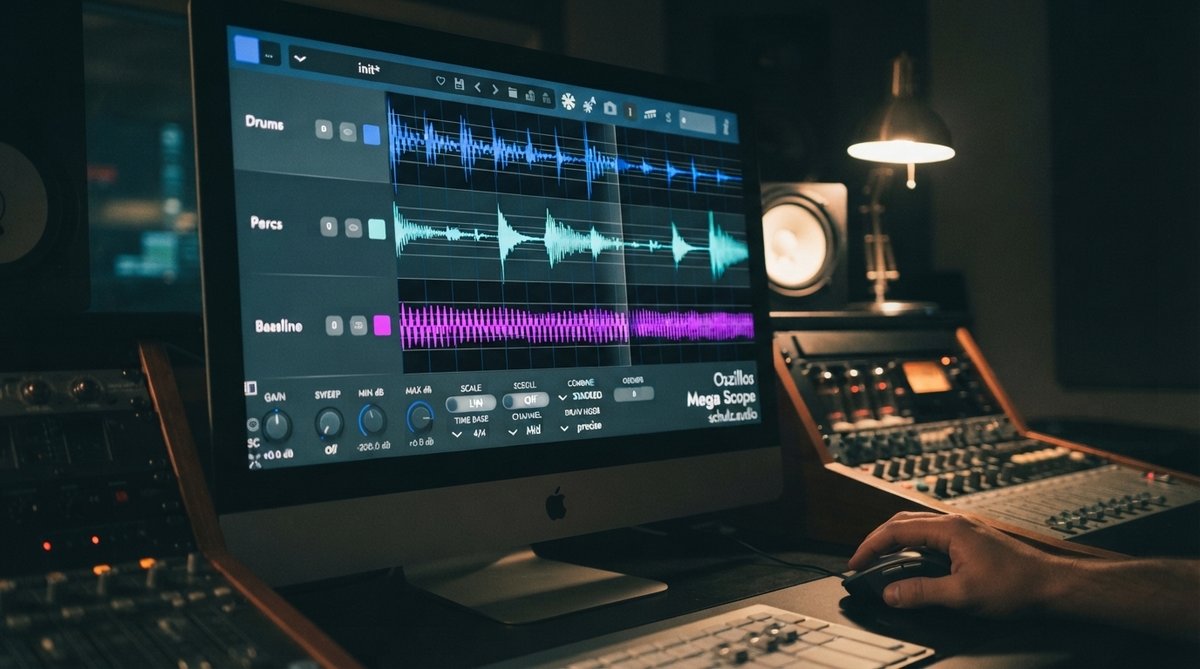
Transients are the initial, high-energy peaks of a sound, often defining its perceived punch and articulation. Think of the crack of a snare drum, the pluck of a guitar string, or the initial breath of a vocal. These short bursts of energy are critical for rhythmic definition and impact. Manipulating transients through micro-editing can make a dull sound punchy, or a harsh sound smoother. Visualizing these transients is incredibly helpful. Tools like Oszillos Mega Scope allow you to see the exact waveform, helping you identify and understand how your processing affects these critical attack phases. This visual feedback is invaluable for fine-tuning compressors or transient shapers, ensuring every hit lands with the intended force. For more on this, consider reading Mastering Drum Transients Visualizing Your Drum Programming For Impact And Groove or [LINK:unlock-the-power-of-audio-analysis-with-oszillos-mega-scope].
Precise control over transients dictates a sound's attack, punch, and rhythmic placement within a mix.
Shaping Timbre with Precision
Timbre, often described as a sound's 'color' or 'texture', is determined by its harmonic content and the way these harmonics evolve over time. Micro-editing timbre involves surgically adjusting specific frequency ranges or harmonic series to alter the perceived character of a sound. This could mean enhancing the warmth of a bass, bringing out the sparkle in a vocal, or cleaning up muddy resonances. A multi-channel spectrum analyzer like Spectrum 2 is essential here, providing a clear visual representation of your sound's frequency content across multiple tracks. This allows you to pinpoint clashing frequencies or identify areas that need subtle enhancement, guiding your surgical EQ decisions. Exploring Beyond The Ears Using A Spectrum Analyzer For Precise Eq Decisions and The Art Of Spectral Balance How To Achieve A Professional Sounding Mix can deepen your understanding of spectral analysis in mixing.
Even subtle, frequency-specific adjustments can dramatically alter a sound's character and its fit within the overall mix.
Essential Tools and Techniques
Achieving advanced micro-editing results requires a combination of precise tools and thoughtful techniques:
- Envelope Shaping: Most DAWs offer tools to draw in volume, pitch, or filter envelopes directly on the audio clip. This allows you to manually adjust the attack, sustain, and release of individual notes or hits, giving you granular control over their dynamic contour.
- Dynamic EQ and Multiband Processing: These tools let you apply equalization or dynamics processing only when certain frequency thresholds are met. A plugin like OOMPH excels in this area, allowing you to split your audio into four flexible bands and independently enhance frequency zones, controlling their saturation, balance, and dynamics. This is perfect for taming resonant frequencies only when they become problematic or adding punch to a specific frequency band without affecting others. Learn more about these techniques in Mastering Multiband Dynamics Shaping Your Mix With Frequency Specific Control and The Power Of Multiband Saturation Adding Warmth Character To Specific Frequencies.
- Phase Manipulation: While often overlooked, subtle phase adjustments can have a profound impact on transients and timbre, especially when dealing with layered sounds or multi-miked recordings. Understanding how to manipulate phase can help you achieve tighter low-end and clearer midrange. You can explore this further in The Power Of Phase Understanding And Manipulating Phase In Your Mix.
Practical Applications in Your Mixes
Micro-editing finds its place across many aspects of music production:
- Drums: Make kicks punchier by tightening their attack, or give snares more snap by enhancing their initial transient. You can also clean up ringing resonances in toms or cymbals without affecting the body of the sound.
- Bass: Refine the articulation of bass notes, ensuring each note speaks clearly without sounding boomy or undefined. This is particularly useful for complex basslines or when the bass needs to cut through a dense mix.
- Vocals: Precisely tame sibilance (harsh 's' sounds) or plosives (harsh 'p' or 'b' sounds) without dulling the overall vocal. You can also enhance the clarity of consonants to improve intelligibility.
- Synths and Sound Design: Sculpt evolving textures by subtly adjusting the attack and decay of individual elements within a complex synth patch, or create unique timbral shifts by dynamically shaping specific harmonic ranges.