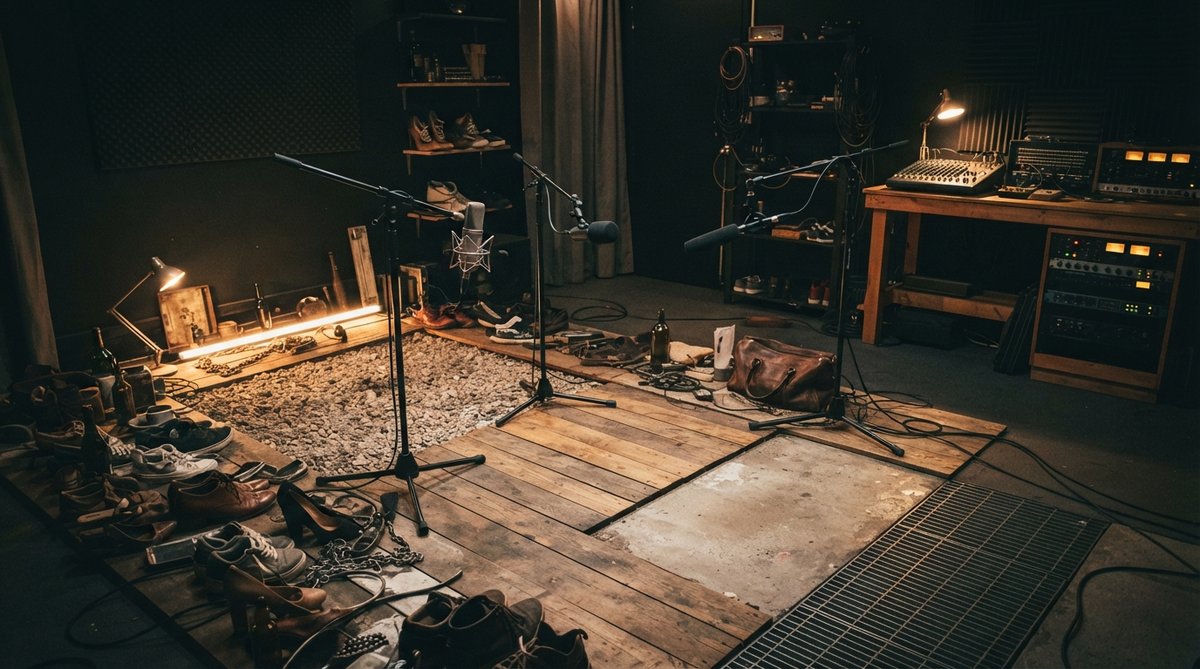
What is Foley?
Foley refers to the art of creating and recording everyday sound effects in sync with picture. Foley artists perform these sounds live to a projected image, mimicking actions like footsteps, rustling clothes, or the clinking of props. The goal is to enhance the realism of the visual, making a character's interaction with their environment feel tangible and immediate. These subtle, often unnoticed sounds are vital for immersion, bridging the gap between what you see and what you hear.
Foley bridges the gap between what you see and what you feel, making the impossible sound real.
Recording Techniques for Foley
When recording Foley, a quiet environment is essential. You'll typically use sensitive condenser microphones, sometimes even shotgun mics, to capture fine details. The performance itself requires meticulous timing and nuance, often involving multiple takes to get the perfect sync and emotional resonance. Experiment with different surfaces and materials to achieve varied textures for footsteps, clothing movements, and prop interactions.
During recording or editing, it's helpful to visualize your audio. Tools like Oszillos Mega Scope can provide a real-time display of your waveforms, helping you monitor transients and ensure clean recordings without unwanted clipping. This visual feedback is invaluable for fine-tuning your performance and maintaining consistent levels, especially for subtle sounds that might otherwise get lost or distorted.
Sound Effects: Beyond Foley
While Foley focuses on synchronous, character-driven sounds, general sound effects cover a broader spectrum. This includes everything from ambient textures and background noises to dramatic impacts, explosions, and stylized sounds for sci-fi or fantasy elements. These can be sourced from sound libraries, but often, the most unique and fitting sound effects are created through field recording, synthesis, or creative manipulation of existing audio.
Designing Realistic and Stylized Audio
Sound design involves layering multiple sounds, processing them with various effects, and sculpting them to fit the emotional and narrative requirements of a scene. This can include pitching sounds up or down, time-stretching them, reversing them, or adding distortion to create a specific character. For instance, if you're aiming for a lo-fi or gritty aesthetic, a plugin like Schulz PortaCrunch 424 can impart the distinctive warmth and saturation of a vintage cassette recorder, adding unique texture to your sound effects.
Equalization and dynamics processing are fundamental. Using a spectrum analyzer like Spectrum 2 allows you to inspect the frequency content of your sounds, helping you identify and resolve frequency clashes, especially when layering multiple effects. You can carve out space for different elements and ensure clarity across your sound design. This visual approach complements your ears, leading to more precise mixing decisions. For more on this, check out Identifying And Fixing Frequency Clashes For A Crystal Clear Mix and Beyond The Ears Using A Spectrum Analyzer For Precise Eq Decisions.
Effective sound design isn't just about what you hear, but how it makes you *feel*.
Adding Depth and Space in Post-Production
Reverb is critical for placing sound effects within a believable acoustic space. Whether you need to simulate a vast cavern, a small room, or an outdoor environment, a versatile reverb plugin can help. RedVerb 2 allows you to import your own impulse responses or sculpt virtual spaces with parameters like size, decay, and pre-delay. For a distinct vintage flavor, JP-ME-1 emulates a classic 80s digital reverb, offering iconic sounds to give your effects a retro sonic signature. Understanding reverb parameters like pre-delay is key to crafting realistic spaces; explore The Essential Guide To Reverb Pre Delay Adding Depth And Clarity To Your Mix and Convolution Reverb Explained Mastering Impulse Responses For Realistic Spatial Effects for deeper insights.
Beyond spatialization, enhancing the impact of key sound effects is often necessary. OOMPH is a multi-band dynamic enhancement plugin that can add punch, clarity, and impact to specific frequency ranges of your sound effects. By independently controlling saturation, dynamics, and stereo width across four bands, you can make an explosion feel more powerful or a subtle creak more ominous. This kind of frequency-specific control is a powerful tool for shaping the perceived energy of your audio. Learn more about multiband dynamics in Mastering Multiband Dynamics Shaping Your Mix With Frequency Specific Control.
Syncing Audio to Visuals
The final, and arguably most important, step is ensuring your sound effects and Foley are perfectly synced to the visuals. This involves meticulous editing in your digital audio workstation, aligning every sound event precisely with what's happening on screen. Accurate timing is crucial for maintaining immersion and preventing the audience from being pulled out of the experience. For a comprehensive guide on integrating audio with video, refer to [LINK:audio-for-video-syncing-sound-foley-and-mixing-for-visual-media].