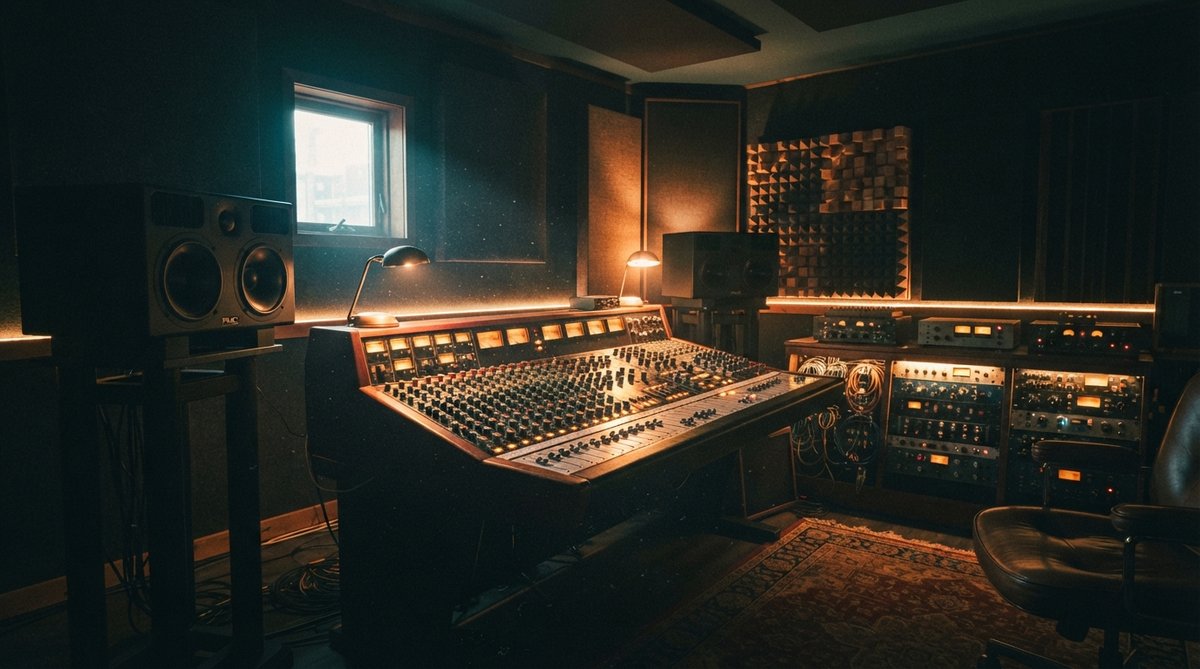
The Foundation: Your Digital Audio Workstation (DAW)
Your Digital Audio Workstation (DAW) is the central hub of your home studio, the software where you record, arrange, edit, and mix your music. Popular options include Ableton Live, Logic Pro (Mac only), Pro Tools, FL Studio, and Cubase. Many DAWs also offer free or affordable entry-level versions, which are perfect for beginners to learn the ropes without a large initial investment.
Capturing Sound: Microphones and Audio Interfaces
To get your sound into the computer, you'll need microphones and an audio interface. For microphones, a good starting point is a versatile large-diaphragm condenser microphone for vocals and acoustic instruments, paired with a sturdy dynamic microphone for louder sources like guitar amps or drums. Consider what you primarily want to record when making your choice.
An audio interface connects your microphones and instruments to your computer, converting analog signals into digital data. Look for an interface with at least two inputs (XLR for mics, ¼-inch for instruments) and reliable preamps. The quality of your audio interface directly impacts the clarity of your recordings and the fidelity of your playback. It's an often-overlooked but critical component for clean signal capture. You can learn more about keeping your signal clean in our article on The Art Of Mastering Gain Staging Keeping Your Signal Clean.
Invest in quality for your core gear; a solid microphone and interface will serve you well for years.
Hearing Your Work: Studio Monitors and Headphones
Accurate monitoring is paramount for making informed mixing decisions. Studio monitor speakers are designed to provide a flat, uncolored frequency response, allowing you to hear your music as it truly is, rather than how consumer speakers might enhance it. Complement these with a good pair of open-back studio headphones for detailed editing, tracking, and checking your mix on a different listening source.
When you're starting out, developing your critical listening skills takes time. Visual feedback tools can be incredibly helpful. Plugins like Oszillos Mega Scope allow you to see the waveforms of your audio in real time, which is useful for tasks like fine-tuning compressors or understanding phase relationships. Spectrum 2, our multi-channel spectrum analyzer, helps you visualize the frequency content of your tracks, making it easier to identify and fix clashing frequencies. Both are available in the Oszillos & Spectrum Bundle for a beginner-friendly price. Using these visual aids alongside your ears can accelerate your learning and improve your mixing accuracy. For more on this, check out Beyond The Ears Using A Spectrum Analyzer For Precise Eq Decisions.
Essential Cables and Accessories
Don't forget the small but mighty details. You'll need XLR cables for your microphones, TRS cables for connecting your interface to your monitors, and instrument cables for guitars or basses. A pop filter for your vocal microphone, a sturdy microphone stand, and perhaps a basic MIDI keyboard controller will round out your initial setup. These accessories ensure comfort, proper recording technique, and expanded creative control.
The Unsung Hero: Acoustic Treatment
Many beginners overlook acoustic treatment, but it's arguably as important as your monitors for accurate mixing. An untreated room will introduce reflections, resonances, and an uneven frequency response, making it difficult to trust what you're hearing. Even a small bedroom can benefit significantly from basic treatment.
Start with common problem areas: bass traps in corners to control low-end build-up, and absorption panels at your first reflection points (the spots on your walls and ceiling where sound bounces directly from your speakers to your ears). DIY solutions using rigid mineral wool or rockwool can be very effective and budget-friendly. Strategic placement of blankets or thick curtains can also help. For a deeper dive, read our article on Optimizing Your Studio Space Understanding Room Acoustics For Better Mixes.
Good acoustic treatment dramatically improves your monitoring accuracy, allowing you to make better mixing decisions faster.
Building on a Budget
Starting a home studio doesn't require a fortune. Prioritize quality in your core components: a reliable audio interface, a versatile microphone, and decent monitoring. You can often find used gear in great condition, or take advantage of bundles. For instance, the Oszillos + Spectrum + RV 2 + JP-ME-1 bundle offers four powerful plugins, including essential visual analysis tools and versatile reverbs, at a significant discount, giving you a strong software toolkit from the start.
Remember, the most important tools are your ears and your creativity. A well-chosen, modest setup with thoughtful acoustic treatment will always outperform an expensive one in an untreated room.