What is Gain Staging and Why Does It Matter?
Gain staging refers to the process of setting the optimal audio level at each stage of your recording, mixing, and mastering chain. The goal is to achieve a strong signal that is well above the noise floor but well below the point of digital clipping, ensuring you have ample headroom for processing. Without careful gain staging, you risk introducing unwanted noise, distortion, or losing dynamic range.
Effective gain staging is the bedrock of a professional mix, preventing unwanted noise and distortion while preserving dynamic range.
Navigating Your Signal Chain: Step-by-Step Levels
Every piece of gear or plugin in your signal chain has an optimal input level. Understanding this helps you maintain a consistent, healthy signal. Let's break down a typical flow:
Input Stage (Microphones, Instruments, Preamps)
This is where your audio journey begins. Set your preamp gain so that the signal is strong but not clipping at its loudest moments. Aim for peaks around -18 dBFS to -12 dBFS (decibels full scale) when recording into your digital audio workstation (DAW). This leaves plenty of headroom for unexpected peaks and subsequent processing. If your initial gain is too low, you will have to boost it later, which also boosts the inherent noise floor of your recording device. Conversely, too high and you introduce nasty digital clipping that cannot be undone. For more on initial gain, check out Unlocking The Magic Of Preamp Gain From Clean Warmth To Gritty Overdrive.
Within Your DAW: Tracks and Plugins
Once in your DAW, continue to monitor your audio levels. Most plugins, especially those emulating analog gear, are designed to operate optimally when fed a signal around -18 dBFS. If you feed them a signal that is too hot, they might saturate or distort in an unintended way. If a plugin has an input or output gain control, use it to ensure the signal entering and leaving the plugin is at a healthy level. The goal is unity gain: the sound should be roughly the same level before and after the plugin, with any change in loudness being an artistic choice, not a byproduct of poor level management.
Visualizing Your Levels for Precision
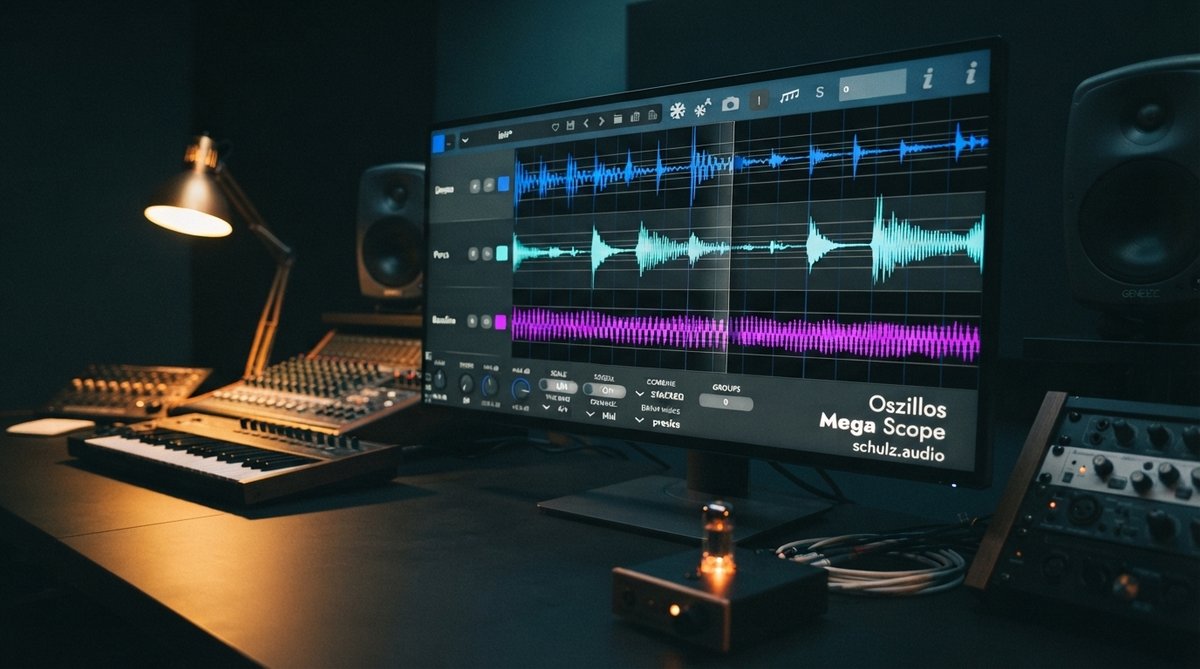
While your ears are the ultimate judge, visual tools provide invaluable feedback for precise gain staging. An oscilloscope is excellent for seeing the actual waveform and identifying clipping or excessive peaks. Use a tool like Oszillos Mega Scope to visualize your waveforms in real time. It can clearly show you if a signal is clipping or if you have enough headroom before it even hits your next processor. This visual feedback is invaluable for fine-tuning gain at every stage, especially when dealing with transients or setting up compressors. You can learn more about its capabilities in [LINK:unlock-the-power-of-audio-analysis-with-oszillos-mega-scope].
Similarly, a multi-channel spectrum analyzer like Spectrum 2 helps you see the frequency content of your signal. This can reveal if specific frequency bands are peaking excessively, even if the overall level seems fine, which is crucial for preventing inter-sample peaks and maintaining a balanced mix. Read more about using it effectively in Spectrum 2 The Ultimate Multi Channel Spectrum Analyser Plug In and Beyond The Ears Using A Spectrum Analyzer For Precise Eq Decisions. For those looking to get both powerful analysis tools at a discount, consider the Oszillos & Spectrum Bundle.
Leverage visual feedback from oscilloscopes and spectrum analyzers to precisely set levels and identify potential clipping or frequency build-ups.
Mix Bus and Master Bus
As you approach the mix bus and master bus, maintaining headroom becomes even more critical. Aim for your mix bus to peak around -6 dBFS to -3 dBFS before any mastering chain. This provides your mastering engineer (or your mastering plugins) with enough dynamic range to work with. Over-compressing or limiting too early will reduce the impact and life of your final master. Remember, loudness is a mastering concern, not a mixing one. Focusing on clean audio levels throughout your mix will yield a much better result in the end.
The Benefits of Proper Gain Staging
By consistently practicing good gain staging, you achieve:
- Lower noise floor: Your signal is always strong relative to any inherent system noise.
- Maximized headroom: Prevents digital clipping and allows plugins to operate at their best.
- Cleaner sound: Reduces unwanted distortion and artifacts.
- Better dynamics: Preserves the natural transients and punch of your audio.
- More effective processing: Compressors, EQs, and other effects react predictably and musically.