The Foundation of Stereo Width
Stereo width refers to how broadly a sound or an entire mix spreads across the left-to-right soundstage. A well-balanced stereo field prevents your mix from sounding narrow or cluttered, allowing individual elements to breathe and creating a sense of realism or dramatic impact. While basic panning is the first step in positioning sounds, modulation effects introduce movement and complexity that can dramatically increase perceived width.
Think of it as creating an acoustic environment where sounds aren't just placed, but allowed to move within that space. This dynamic movement is key to a truly wide and engaging mix.
Chorus Effects: The Classic Widener
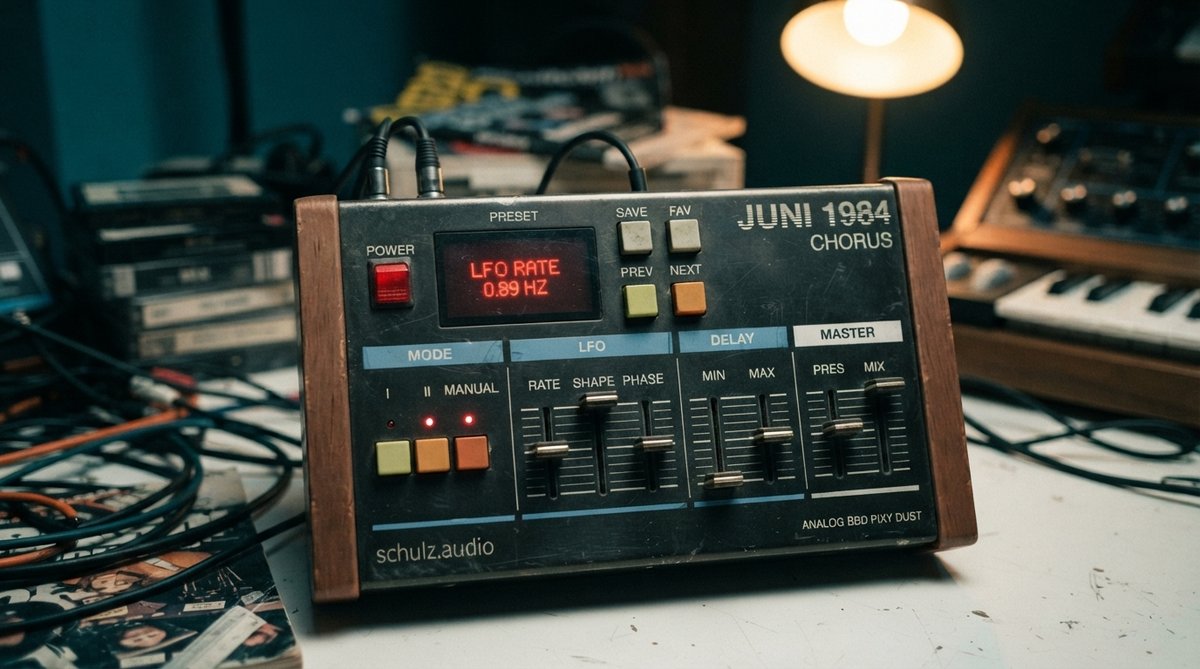
Chorus is arguably one of the most effective modulation effects for stereo widening. It works by duplicating a signal, slightly detuning it, and then modulating its pitch and delay time with an LFO (Low-Frequency Oscillator). When these modulated copies are panned opposite each other, they create a rich, swirling effect that perceives as much wider than the original mono signal. The depth of the chorus determines how much the pitch and delay time are modulated, while the rate controls the speed of this modulation.
For a classic, analog-flavored width, a plugin like JUNI 1984 CHORUS excels. Its bucket brigade delay (BBD) emulation imparts a specific warmth and character while spreading sounds. Experiment with subtle settings on vocals or synths to add sparkle and dimension without making them sound overtly 'chorused.' For more ideas, check out What Is A Chorus Effect How To Add Width And Movement To Your Mix and Beyond Synths Creative Ways To Use Chorus On Vocals Guitars Reverbs.
Subtle chorus with opposing panning can transform a mono source into a wide, shimmering stereo element.
Reverb for Spatial Expansion
Reverb naturally creates a sense of space and can be expertly used to widen sounds. Longer, more diffuse reverb tails tend to spread out more in the stereo field. Many reverb plugins offer stereo parameters that specifically tailor this effect. For instance, increasing the 'spread' or 'width' parameter within a reverb can make the reflections fill out the stereo image more aggressively.
With RedVerb 2, the 'Spread' slider is perfect for subtly positioning your sound in the stereo field or creating wider echo effects from your impulse responses. Similarly, vintage digital reverbs like the one emulated by JP-ME-1 often feature distinct stereo characteristics that can be leveraged for width. Remember to consider your reverb's pre-delay and decay settings, as they significantly impact how the reverb interacts with the dry signal and the perceived stereo image. More on this in The Essential Guide To Reverb Pre Delay Adding Depth And Clarity To Your Mix and Beyond The Basics Sculpting Reverb Size And Decay For Perfect Ambiance.
Multiband Stereo Control with OOMPH
For precision control over stereo width across different frequency ranges, multiband processing is invaluable. Often, you want to keep your low frequencies mono or near-mono for mix stability, while allowing higher frequencies to spread out. This is where a multiband tool with stereo width control becomes a powerful mixing asset.
OOMPH offers a sophisticated approach to this by splitting the audio into four flexible bands, each with independent control over stereo width. This allows you to tighten the low end, subtly widen the mids, and aggressively expand the highs, all within a single plugin. This frequency-specific approach ensures a powerful, focused low end while creating an expansive, airy top end. Dive deeper into this concept with Frequency Specific Stereo Width Using Mid Side Processing For A Deeper Soundstage.
Multiband stereo width control allows you to keep your low end focused while spreading out higher frequencies for a balanced, impactful mix.
Visualizing Stereo Width
While your ears are the ultimate judge, visual feedback can greatly assist in understanding and refining your stereo image. Tools like oscilloscopes and spectrum analyzers can show you how wide your signal truly is, helping you identify mono elements, phase issues, or excessive widening that might collapse on different playback systems.
Using Oszillos Mega Scope with multiple inputs can help you see phase relationships that impact width, while Spectrum 2 can visualize how frequency content is distributed across the stereo field. These visual aids are excellent for confirming your sonic decisions and troubleshooting potential problems. You can learn more about these tools in [LINK:unlock-the-power-of-audio-analysis-with-oszillos-mega-scope] and Spectrum 2 The Ultimate Multi Channel Spectrum Analyser Plug In.