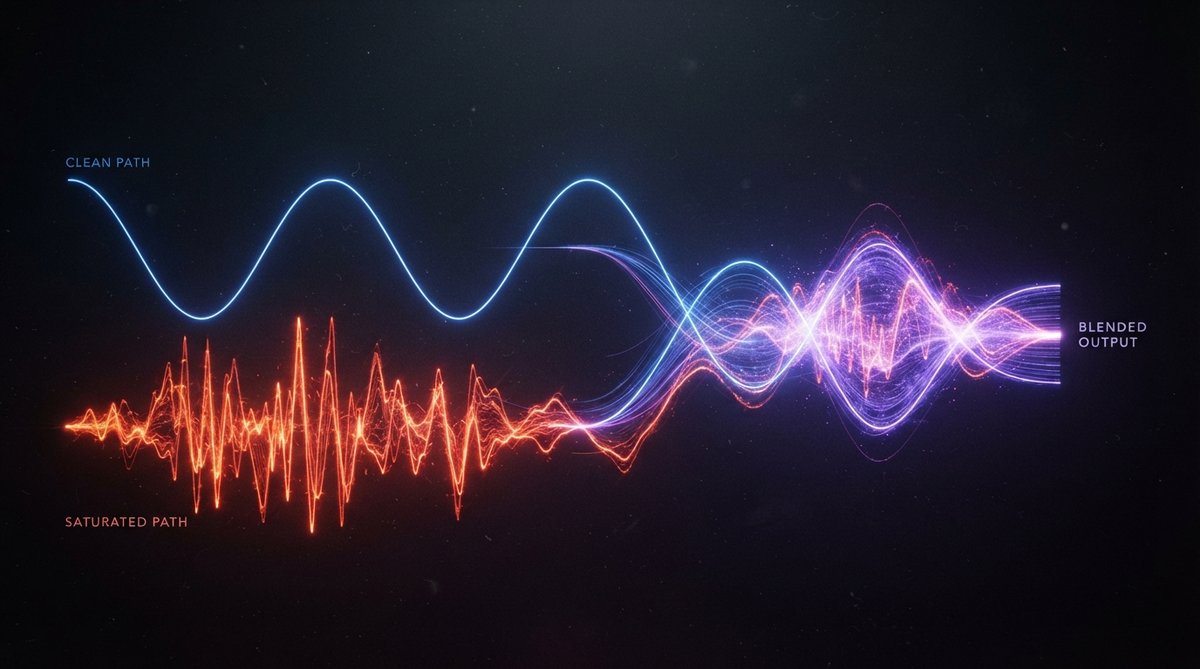
What is Parallel Saturation?
At its core, parallel saturation is a form of parallel processing, much like parallel compression. Instead of compressing a duplicated signal, you apply a saturation or distortion effect to it. The original, unprocessed (or 'dry') signal runs alongside this heavily processed (or 'wet') signal. You then blend these two versions together to achieve a combined sound that is bigger, denser, and harmonically richer than either signal on its own.
Parallel saturation lets you add character and punch without sacrificing the natural dynamics of your original sound.
Why Use Parallel Saturation?
The main benefit of parallel saturation is its ability to introduce desirable harmonics and grit without completely altering the source audio. Applying saturation directly to a track can often flatten its dynamics and make it sound overly aggressive or thin. By blending a saturated signal with a clean one, you get the best of both worlds:
- Retained Dynamics: The clean signal preserves the transient punch and dynamic range of the original performance.
- Added Density and Sustain: The saturated signal fills out the sound, increasing its perceived loudness and sustain.
- Harmonic Richness: Saturation introduces new harmonic overtones, making the sound feel fuller and more present.
- Mix Cohesion: It can help different elements in a mix gel together, providing a subtle glue.
For a deeper look into the general concept of saturation and its role in modern mixing, check out our article on The Role Of Saturation In Modern Mixing Adding Harmonics And Warmth.
Setting Up Parallel Saturation in Your DAW
The setup for parallel saturation is straightforward in most DAWs:
- Create an Auxiliary Send: On the track you want to process, create an auxiliary send and route it to a new auxiliary track (often called a return track).
- Insert Saturation: On this new auxiliary track, insert your chosen saturation or distortion plugin. Make sure its wet/dry control is set to 100% wet, as you are blending the dry signal from the original track.
- Blend: Adjust the send level from the original track to control how much signal feeds the saturation effect, and then use the fader on the auxiliary track to blend the saturated sound back into your mix.
Plugins like Schulz Tonebreaker or Schulz PortaCrunch 424 are excellent choices for adding rich, characterful saturation to your parallel track, especially for guitars, bass, or even drums. They can transform a clean signal into something with real attitude.
Dialing in the Saturation
The key is to apply enough saturation on the auxiliary track so that it sounds noticeably driven, but not necessarily over-the-top on its own. Listen for the introduction of new harmonics and a thickening of the sound. You might want to use visual analysis tools to help guide your decisions. Oszillos Mega Scope can help you visualize how the waveform is being reshaped, particularly how transients might be affected, while Spectrum 2 can show you the new harmonic content being generated. More on these tools can be found in Oszillos Mega Scope Multi Channel Audio Oscilloscope Plug In and Spectrum 2 The Ultimate Multi Channel Spectrum Analyser Plug In.
The art of parallel saturation lies in finding the sweet spot where the driven signal enhances the clean signal without overwhelming it.
Blending the Clean and Driven Signals
Once your parallel saturation track is set up, the crucial step is blending. Start with the auxiliary track fader completely down, then slowly bring it up. Listen for the point where the original track begins to gain density, warmth, and a subtle edge. A little goes a long way with parallel processing. Often, the effect is more felt than heard explicitly.
For more advanced control, consider multiband parallel saturation. OOMPH allows you to split your audio into four flexible bands, independently controlling saturation, balance, dynamics, and stereo width within each. This means you can add grit to the low-mids for warmth, sparkle to the highs, and leave other frequency areas untouched, offering frequency-specific control over your parallel saturation. Explore this concept further in The Power Of Multiband Saturation Adding Warmth Character To Specific Frequencies.
Creative Applications
Parallel saturation is incredibly versatile. Try it on:
- Drums: To add punch, sustain, and a sense of 'glue' to a drum bus or individual drum elements. This can make kicks hit harder and snares crack more.
- Vocals: To give them more presence and help them cut through a dense mix without increasing their peak level too much.
- Bass: To add harmonic richness that helps the bass translate better on smaller speakers, making it feel thicker and more consistent.
- Synths and Guitars: To add texture, aggression, or a vintage character.
- Mix Bus: Used subtly, it can add overall cohesion and a touch of analog warmth to the entire mix, enhancing mix density.
By understanding and applying parallel saturation, you gain a powerful tool for shaping the character and perceived loudness of your tracks, all while maintaining dynamic integrity. This technique is a cornerstone of professional mixing for a reason.