What is Glitch?
Glitch music emerged from the intentional use of digital artifacts and errors, turning them into aesthetic elements. Think of chopped-up audio, skipped samples, or digital distortion. It's about breaking the audio signal in a controlled way to create rhythmic and textural interest. The beauty of glitch lies in its ability to introduce unpredictable, yet often musical, moments into a track.
Techniques for Crafting Glitch Effects
There are several ways to approach glitch sound design, ranging from precise editing to real-time processing:
- Manual Slicing and Rearrangement: This is a foundational technique. Take a sound, slice it into tiny segments (milliseconds to a few tens of milliseconds), and then rearrange, repeat, or reverse these segments. This can be done directly in your DAW's editor or with specialized plug-ins. Experiment with different slice lengths and patterns.
- Gating and Chopping: Using a gate with a very short release time, or a rapid tremolo/auto-panner effect, can create stuttering, glitch-like rhythms. Automate the gate's threshold or the tremolo's rate for evolving patterns.
- Buffer Effects and Stutter Plug-ins: Many modern plug-ins are designed specifically for glitch, allowing you to capture and repeat small buffers of audio. These often include controls for pitch, reverse, and density, providing a quick way to generate complex patterns.
- Digital Degradation: Effects like bitcrushing and sample rate reduction are quintessential glitch tools. By reducing the bit depth or sample rate, you introduce digital artifacts, noise, and aliasing that can sound harsh yet musical. Exploring Creative Bitcrushing And Sample Rate Reduction offers more on this.
- Creative Delay and Reverb: Short, feedback-heavy delays can quickly spiral into glitchy textures. Try automating delay time or feedback. For reverb, a very short, dense reverb like a gated reverb can turn transients into metallic clicks or bursts. Schulz.audio's JP-ME-1 or RedVerb 2 could be used here to add unique spatial qualities to these short, percussive elements.
Glitch effects are not just about destruction; they are about controlled chaos, adding intricate detail and unexpected rhythmic elements.
Micro-Repetition for Rhythmic Complexity
Micro-repetition involves looping extremely short segments of audio, often so brief they become a single, buzzing texture rather than a clear repetition. This technique is excellent for building rhythmic momentum, creating unique percussive elements, or adding textural layers that evolve over time. Think of it as a very fast, tightly controlled delay or a granular synthesis effect.
You can apply micro-repetitions to almost any sound: a vocal snippet, a drum hit, a synth chord, or even a field recording. By automating the loop length, pitch, or filter cutoff, you can create dynamic, evolving textures that breathe life into static sounds. This often works well in conjunction with other rhythmic effects. Creative Delay For Rhythmic Complexity In Electronic Music delves into related concepts.
Visualizing Glitch and Repetition
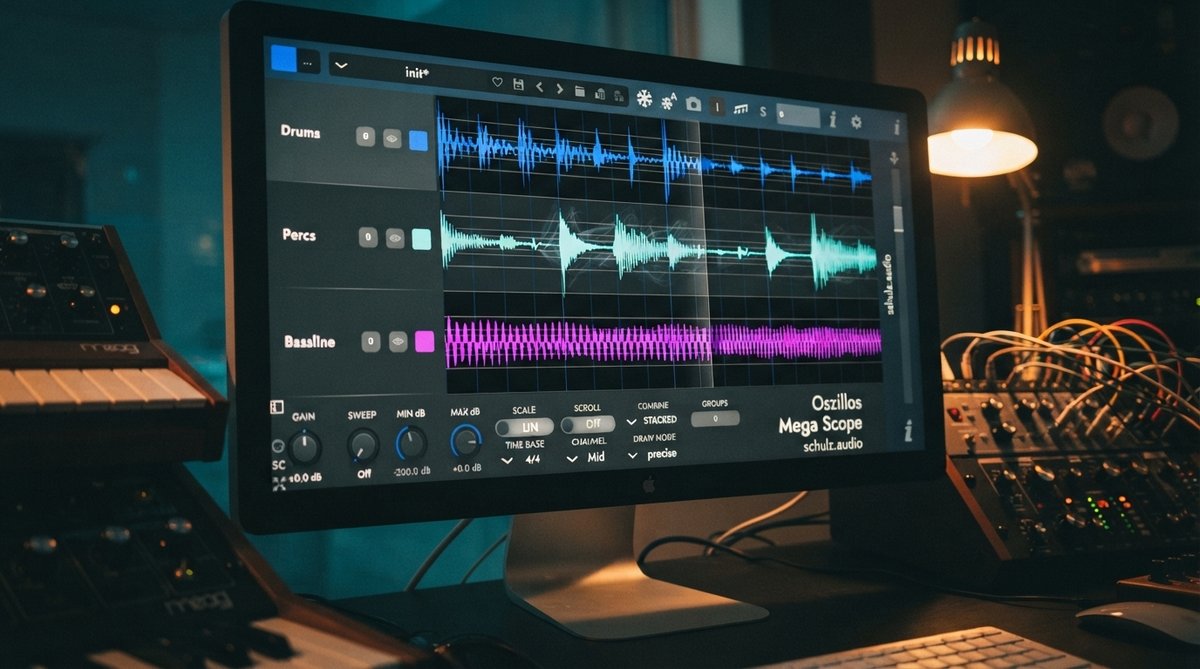
When working with such short, transient-heavy sounds, visual feedback is invaluable. An oscilloscope can help you see exactly how your glitch effects are shaping the waveform, allowing for precise adjustments that are difficult to achieve by ear alone. Oszillos Mega Scope provides a clear, real-time visualization of your audio, which is particularly useful for fine-tuning the attack and decay of short bursts, identifying phase issues, or ensuring that micro-repetitions align perfectly with your grid. For more on visual analysis, see Oszillos Mega Scope Multi Channel Audio Oscilloscope Plug In or Mastering Drum Transients Visualizing Your Drum Programming For Impact And Groove.
An oscilloscope like Oszillos Mega Scope is crucial for understanding and sculpting the intricate waveforms produced by glitch and micro-repetition effects.
Mixing and Mastering Glitch Elements
Integrating glitch and micro-repetition into a mix requires careful attention to dynamics and frequency content. These sounds often contain sharp transients and a wide frequency spectrum, which can quickly clutter a mix if not managed. Use EQ to carve out space and tame harsh frequencies. Compression, especially multiband compression, can help control the dynamic range without squashing the impact. OOMPH is a multiband dynamic enhancement tool that could be useful here, allowing you to selectively control the punch, clarity, and saturation of specific frequency zones within your glitch sounds. For a grittier, lo-fi character, consider processing elements through Schulz PortaCrunch 424 to add warmth and a distinct analog flavor. Further reading on dynamics can be found in Mastering Multiband Dynamics Shaping Your Mix With Frequency Specific Control and The Role Of Saturation In Modern Mixing Adding Harmonics And Warmth.