What is Sidechain Compression?
At its core, sidechain compression uses an external audio signal to trigger a compressor. Instead of the compressor reacting to the level of the track it's placed on, it listens to a different track. When the external signal crosses the compressor's threshold, the compressor engages, reducing the volume of the track it's inserted on. This creates a dynamic relationship, allowing one element to 'duck' out of the way for another.
The Classic Ducking Effect: Kick and Bass
The most common application of sidechain compression is to create space between a kick drum and a bassline. When the kick hits, it momentarily reduces the bass volume, ensuring the kick's transient punches through the mix without clashing with the low end of the bass. This technique is crucial for achieving a tight, powerful rhythm section, especially in electronic music or genres where bass and kick share similar frequency ranges. You can learn more about managing low-end interactions in our article on Achieving Tight Bass Visualizing Low End Interactions For A Powerful Mix.
Sidechain compression is essential for preventing frequency clashes, especially between kick drums and basslines.
Beyond Ducking: Rhythmic and Creative Applications
While essential for clarity, sidechain compression also serves as a potent creative tool. By adjusting attack and release times, you can sculpt the characteristic 'pumping' effect, adding rhythmic movement to pads, guitars, or even entire mix buses. A fast attack and release can create an aggressive, almost choppy duck, while slower settings can produce a more subtle, breathing motion. Experiment with different ratios to control the intensity of the ducking, as discussed in Understanding Compression Ratios From Subtle Glue To Aggressive Punch. Sidechaining can also be used with gates or filters for other creative effects, as explored in [LINK:creative-sidechaining-beyond-compression-gates-filters-and-effects].
The Power of Visual Feedback
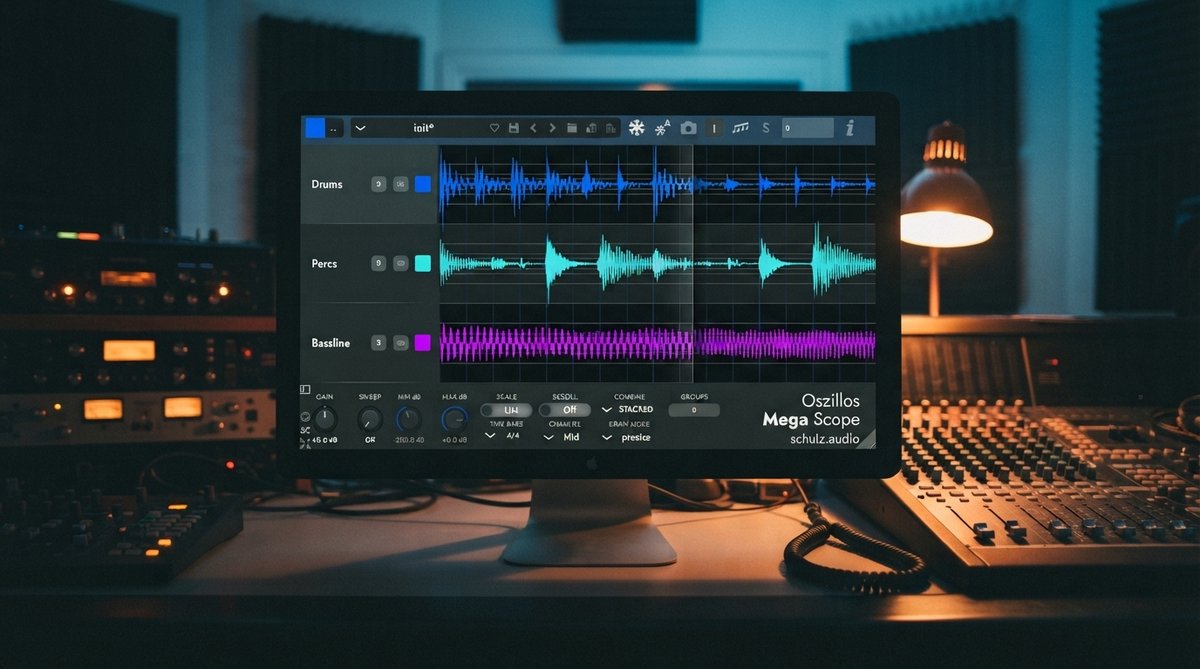
Dialing in sidechain compression by ear alone can be tricky. It's easy to over-compress, causing unwanted artifacts, or under-compress, leaving clashes unresolved. This is where visual feedback becomes invaluable. An oscilloscope allows you to see the interaction between your sidechain trigger and the affected signal in real time. You can observe the exact moment the compression engages, how quickly it ducks, and how smoothly it recovers. This visual insight helps you make precise adjustments to your compressor's attack, release, threshold, and ratio settings.
An oscilloscope like [PRODUCT:oszillos-mega-scope] provides critical visual feedback for fine-tuning sidechain compression.
Setting Up Sidechain with Visuals
To implement visual sidechain monitoring, place your compressor on the track you want to duck (e.g., bass). Then, route your trigger track (e.g., kick drum) to the compressor's sidechain input. Crucially, insert an instance of Oszillos Mega Scope after your compressor on the ducked track. Configure Oszillos Mega Scope to display both the original, unducked signal (if your DAW allows a pre-fader send) and the post-compression signal, along with the sidechain trigger itself. You can also analyze drum transients using OMS, which is detailed in Mastering Drum Transients Visualizing Your Drum Programming For Impact And Groove. This setup, easily achieved with the multi-input capabilities of Oszillos Mega Scope, lets you visually confirm that your bass is ducking precisely when the kick hits and recovering smoothly. This visibility helps you avoid over-processing and achieve the perfect dynamic response. For a more comprehensive understanding of this powerful tool, refer to Oszillos Mega Scope Multi Channel Audio Oscilloscope Plug In.