The Gate: More Than Just a Noise Killer
At its core, a gate is a dynamic processor that silences a signal when it falls below a set threshold. While this is perfect for removing hums, buzzing, or drum bleed, adjusting parameters like attack, hold, decay, and release can sculpt audio in unexpected ways. Instead of just removing quiet parts, we can use a gate to emphasize transients, create choppy textures, or introduce rhythmic movement.
Think of your gate not just as a cleaner, but as a rhythmic sculptor for your sounds.
Sidechain Gating for Rhythmic Pumping
One of the most popular creative uses of a gate is sidechaining. By feeding an external signal (like a kick drum or a synth pulse) into the gate's sidechain input, you can make another track's volume duck and swell in time with that external signal. This creates a distinctive rhythmic 'pumping' effect, often heard in electronic music, where a sustained synth pad or bassline pulses with the beat. It's a fantastic way to create space and groove, especially in dense arrangements.
Gating Reverb and Delay Tails
Applying a gate after a reverb or delay effect can lead to unique, impactful textures. Instead of a long, natural reverb tail, the gate can abruptly cut it off, creating a powerful, almost percussive ambience. This is particularly effective on drums or vocals, giving them a larger-than-life presence without muddying the mix. Experiment with the gate's release time to control how quickly the reverb disappears. A short release creates a sharp, punchy sound, while a slightly longer one can still offer a sense of space before cutting out. Try this with a classic 80s digital reverb like JP-ME-1 or a versatile hybrid reverb like RedVerb 2 to achieve distinct sounds. For more on reverb shaping, check out Beyond The Basics Sculpting Reverb Size And Decay For Perfect Ambiance.
Gating reverb or delay can transform a smooth wash into a punchy, rhythmic accent.
Visualizing Your Gate's Action
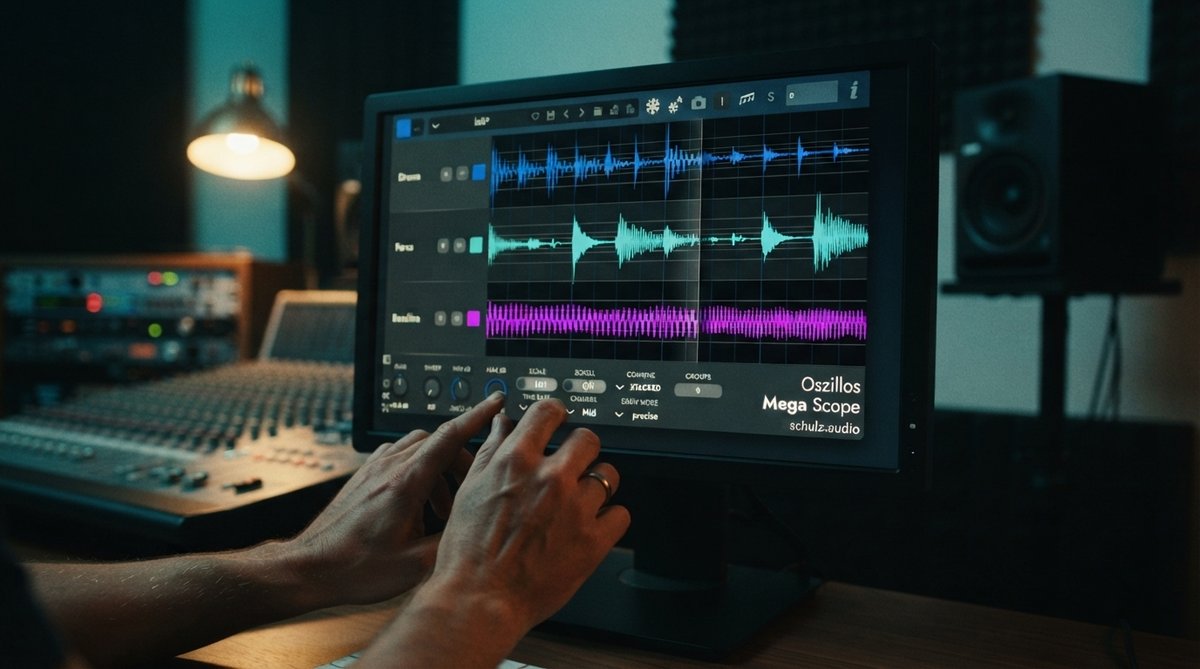
When you are working with creative gating, especially with short attack and release times or complex sidechain signals, it can be challenging to dial in the perfect settings by ear alone. This is where a visual analysis tool becomes invaluable. An oscilloscope like Oszillos Mega Scope allows you to see the exact waveform of your audio in real time. You can observe how the gate's threshold cuts off the signal and how your attack, hold, and release settings shape the envelope. With its BPM sync and multi-input capabilities, you can even compare the input signal to the gated output, or view the sidechain trigger alongside the gated track. This visual feedback helps you fine-tune your gate for precise rhythmic effects and ensures your sound design intentions are accurately translated. Learn more about its uses in Oszillos Mega Scope Multi Channel Audio Oscilloscope Plug In.
Sound Design with Gated Textures
Don't limit gates to just drums or synths. Try applying them to sustained sounds like pads, drones, or even field recordings. By setting a low threshold and a fast attack/release, you can chop these sounds into rhythmic fragments, creating entirely new percussive or textural elements. Varying the gate's parameters and even automating them can lead to evolving, dynamic soundscapes that add intrigue and movement to your tracks.
Tips for Creative Gating
- Experiment with sources: Apply gates to unexpected sounds like vocals, guitars, or Foley recordings.
- Subtle vs. extreme: A gate can be used subtly to tighten up a groove or aggressively to create glitchy, stuttering effects.
- Combine with other effects: Place a gate before or after other effects like distortion, chorus, or delay for even more complex results. For instance, try gating before a delay to create rhythmic echoes, as discussed in Creative Delay Techniques Adding Dimension And Groove To Your Productions.
- Automate parameters: Don't set it and forget it! Automating the threshold, attack, or release can add dynamic interest throughout your track.